Schedule meeting for others
You can schedule meetings on other persons' behalf as long as you're granted scheduling privilege by that person.
Prerequisites
- Available for Pro, Business, and Enterprise plan accounts
- Scheduling privilege is granted
Windows and macOS
Schedule Meetings for Others
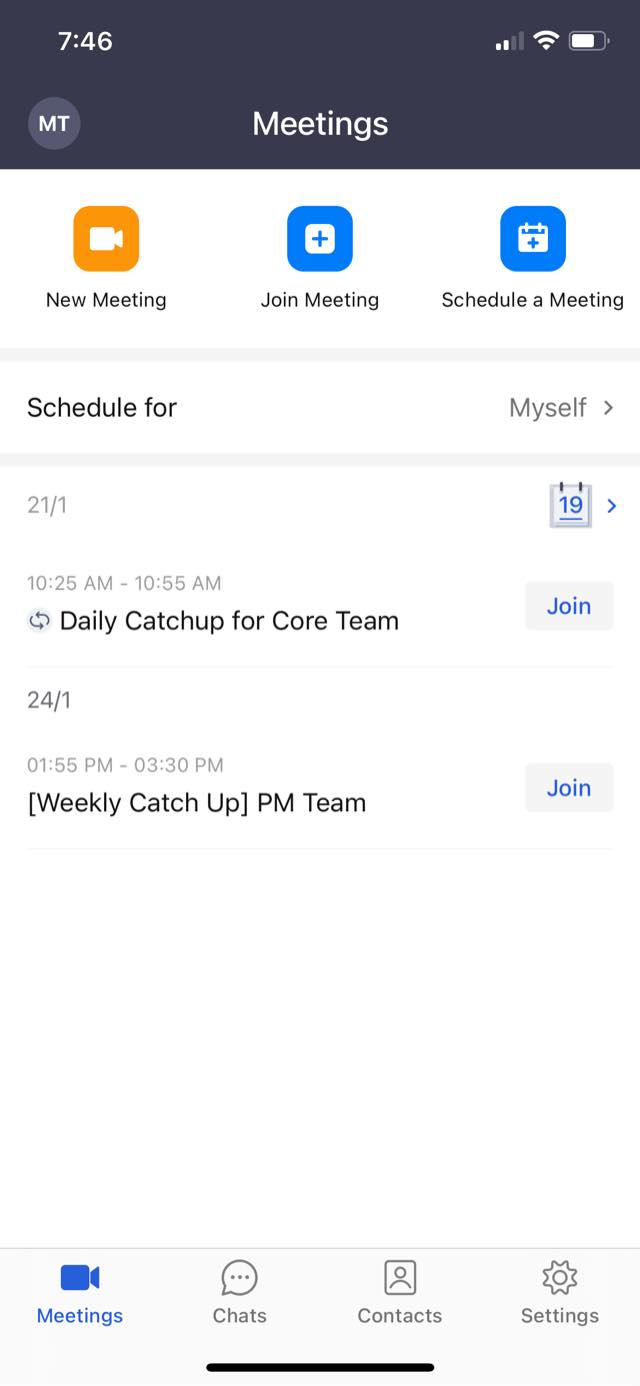
Click on Schedule, select the person who has granted scheduling privilege to you, and continue to schedule the meeting. After the meeting is scheduled, the person will be notified that you have scheduled a meeting for him/her.
View Others' Meeting List
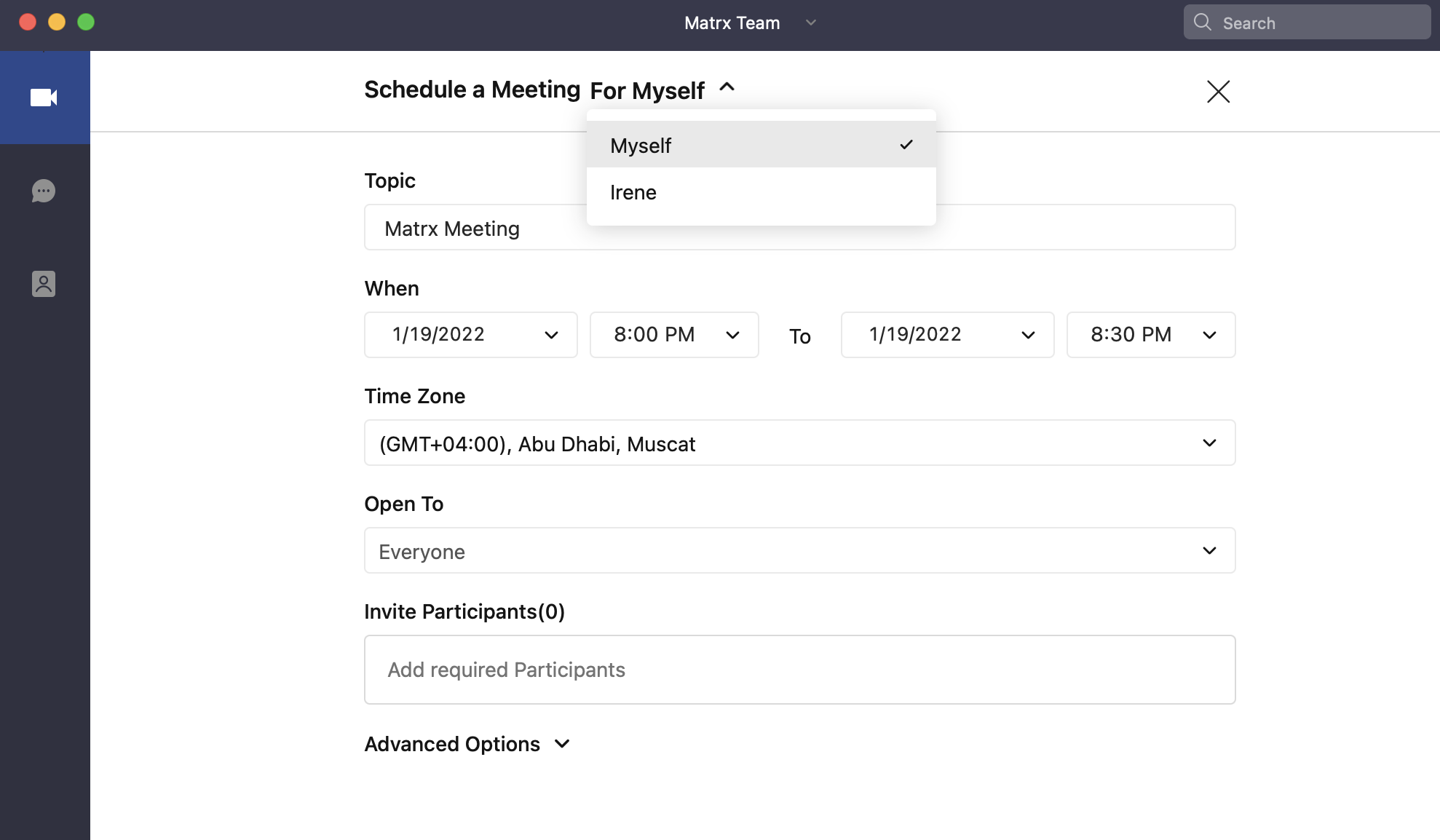
Click the drop list button under Scheduled Meeting, select the person who has granted scheduling privilege to you, and you can view and manage the scheduled meetings for that person.
Andriod and iOS
Schedule Meetings for Others
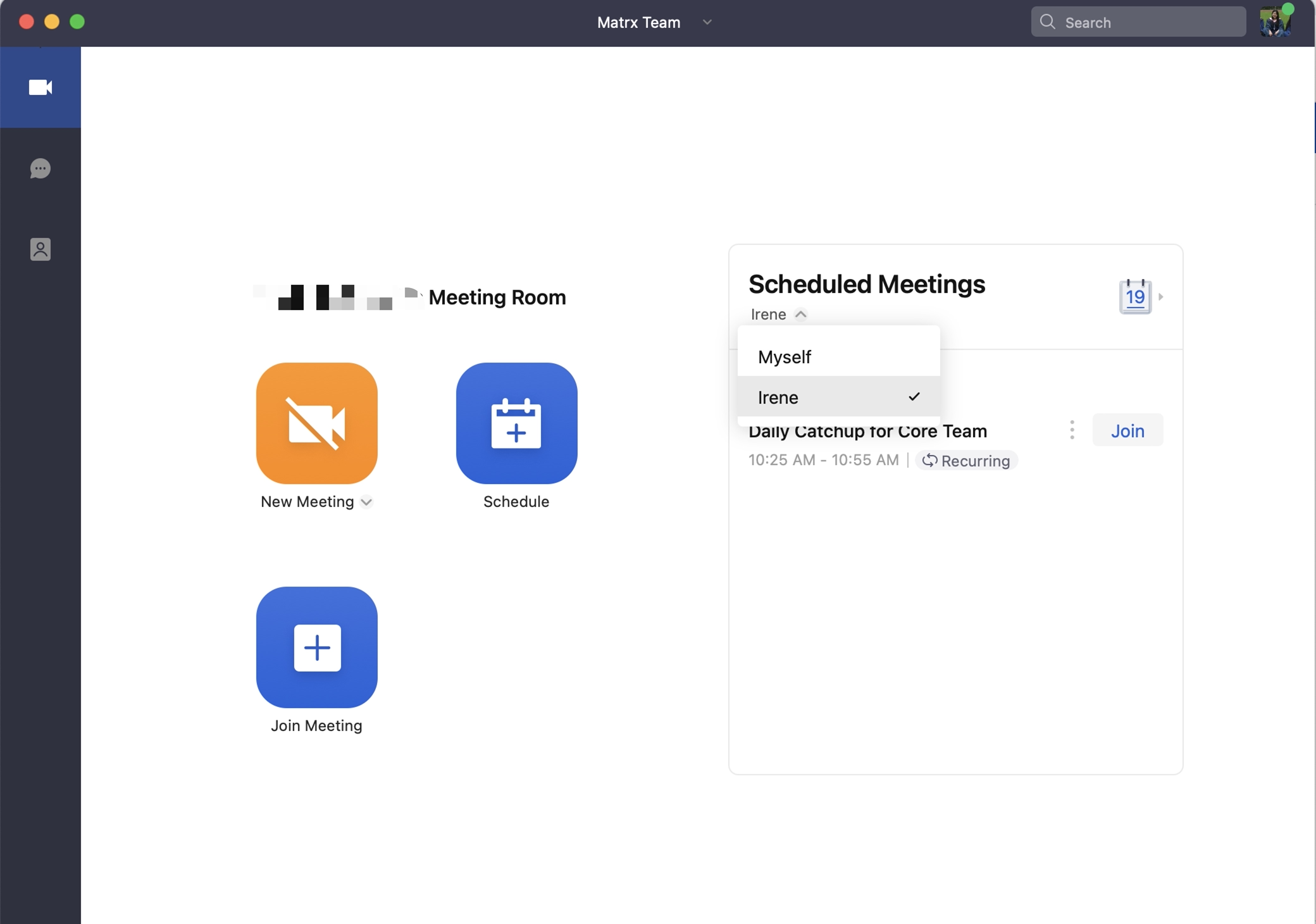
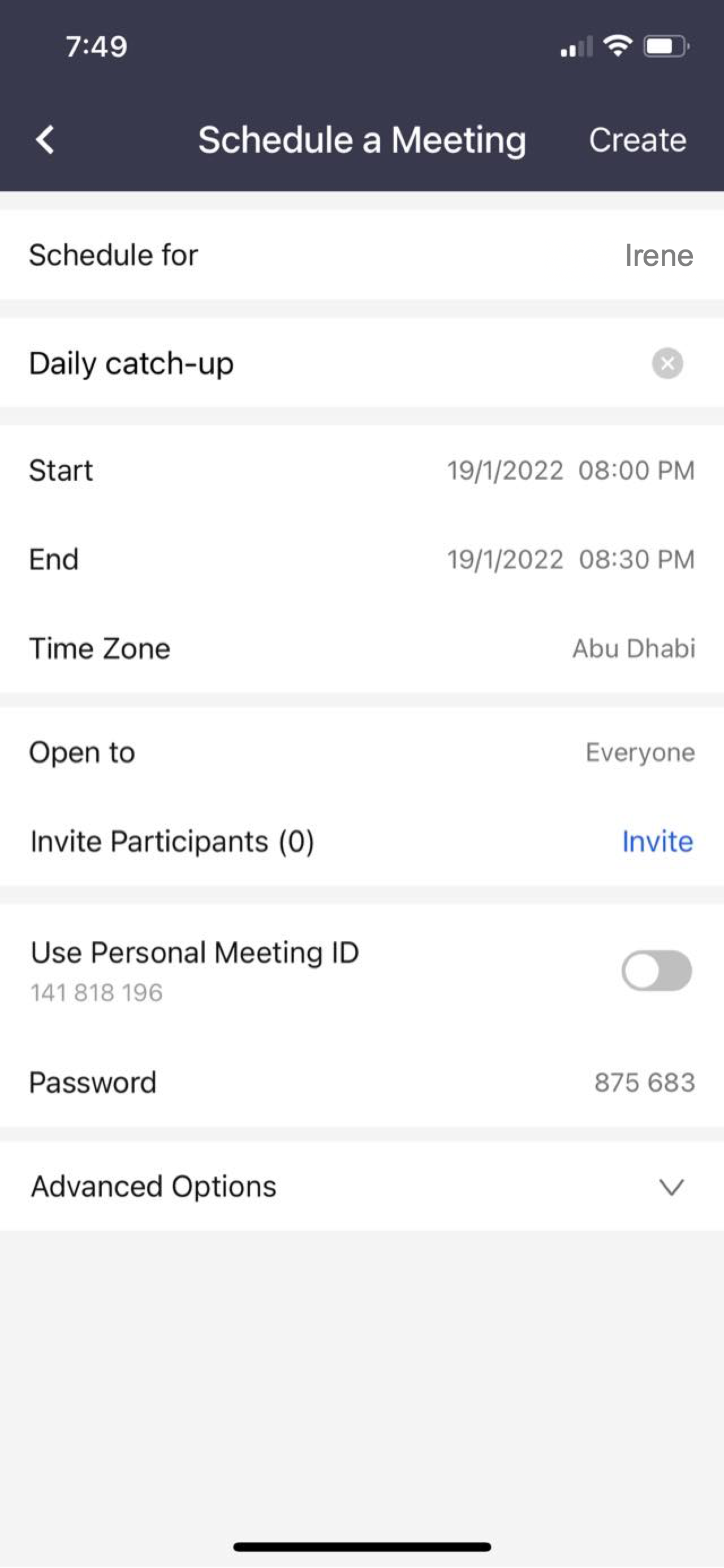
Tap on "Schedule for" and select the person who has granted scheduling privilege to you. Tap Schedule a Meeting and continue to schedule the meeting. After the meeting is scheduled, the person will be notified that you have scheduled a meeting for him/her.

View Others' Meeting List
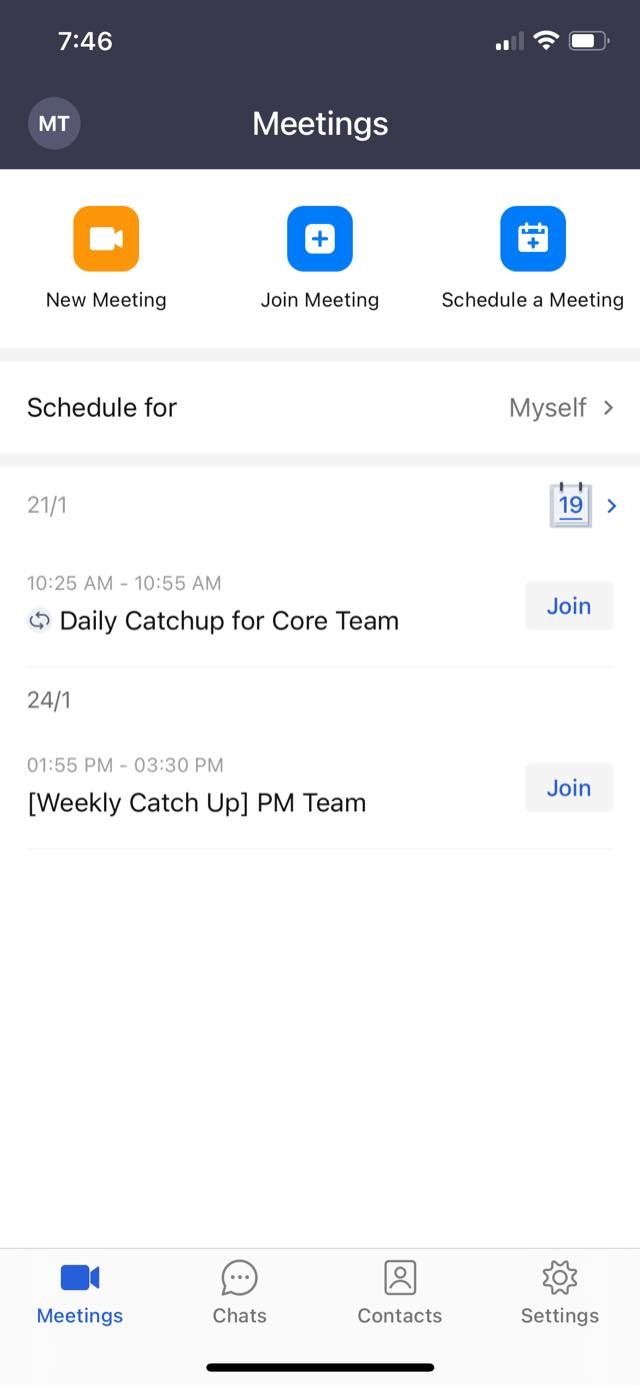
Tap Schedule for, select the person who has granted scheduling privilege to you, and you can view and manage the scheduled meetings for that person.